Superterran XP
In the summer of 2001 I was a teenager beta-testing a not-yet-released operating system and writing about it on a free Tripod homepage. The site was called Superterran XP — built in Macromedia HomeSite (its project file, The Superterran XP.apf, still sits in the archive) and styled, shamelessly, after Windows XP itself. The footer said it best: “design by the superterran. interface ripped off of microsoft.”
This exhibit collects three things that lived there: a Windows XP beta review, a weekly tech column, and the screenshots I took along the way. The spelling is left exactly as a 15-year-old typed it.
The site even had a logo: the crosshair-and-globe mark with an orange xp tacked on. That crosshair followed me around for years — see The ST Mark for where else it turned up.
Windows XP — Yes You Can
The centerpiece was a review written before the OS shipped, while I was running Microsoft Codename: Whistler Beta 2 Build 2464. It opens with the kind of confidence only a teenager beta-testing pre-release software can summon:
I have been beta testing Windows XP for almost 2 months now, way back when it was refered to as Microsoft Codename: Whistler Beta 2 Build 2464. This site will tell you the good, the bad, and the ugly about the misterious Windows XP operating system. It is just a beutiful operating system… The preceding is a rediculisly indepth review on the OS. I think you will find it informitive though.
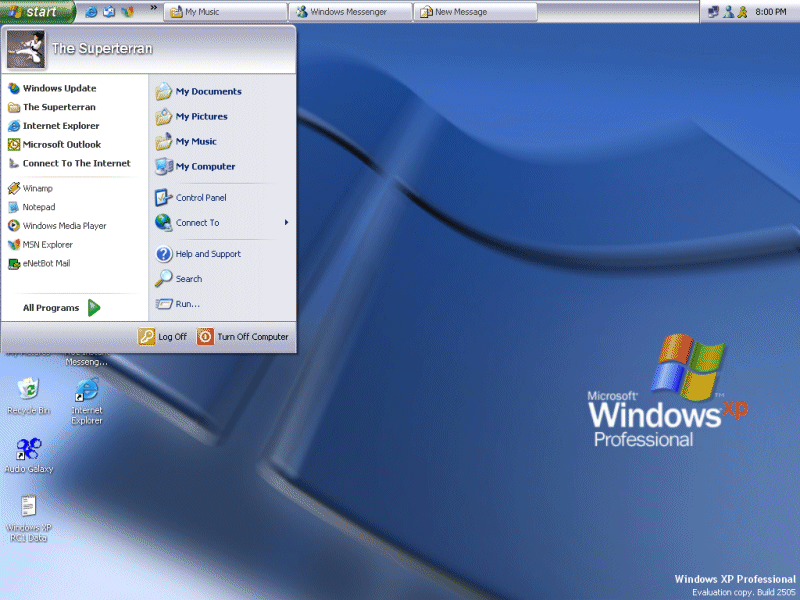
The desktop screenshot above is stock XP Luna, RC1 Build 2505 — note the Start menu logged in as The Superterran.
The install, minute by minute
Most of the review is a painstaking, time-stamped log of a clean install, because — as the author explains — “this is one of the things that i wondered about.” It begins with the most dramatic line a Windows 98 kid could write:
I shutdown Windows 98, and booted in Dos Mode. cried, and typed in ‘Format C:’, which is somthing you only type if you want to delete all the infomation on the hard drive. You must do this to do a clean install.
Forty-two minutes ahead of schedule, it was done:
At the desktop, Install Complete. It took 1 Hour, 18 minutes to install. That was 42 minutes earlier than i predicted. Wbich is pretty fast for format and install.
Problems
True to the “good, the bad, and the ugly” promise, there was a bug list:
- The Features list repeats it self… In the Beta 2 Install, i counted it looping 3 times.
- The screen will twitch durring the installation. It dosn’t seem to afftect the installation, but it scared the bejesus out of me a few times.
- In the Beta 2 Install, it reset my system clock to sometime around november of 1796. That was no big deal though, esspecally since Windows will update the clock setting via the internet when you log on.
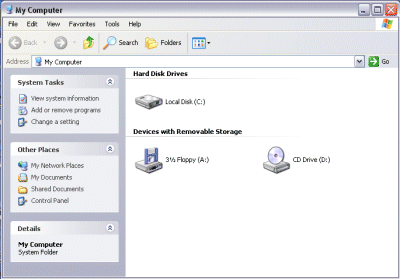
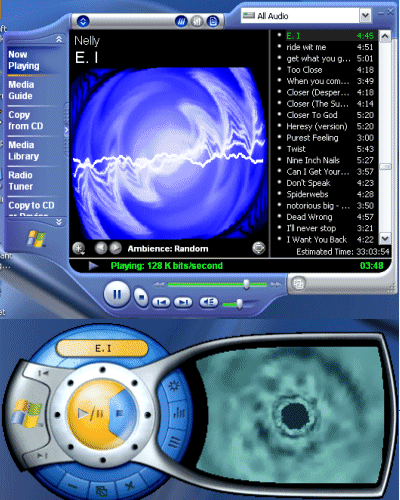
The review shipped alongside a stack of companion text files — wintxt1 through wintxt9 — full of registry edits and “hacking tricks.” Period-accurate tinkering, mostly harmless, all preserved in the archive.
Doug’s Geek Corner
The same enthusiasm found a more official outlet at school. Doug’s Geek Corner was my weekly column in The Torch, the newspaper of the Aynor Conway Career Center — a job I described with appropriate gravity:
I am the chief Technical Corisponant (a very prestigious title). I hope to try and educate the masses (the whole 200 people of our student body) with the newest and greatest technology has to offer.
The first article (week 1-4-02) was on anti-viruses. A later one, “whats new in redmond?”, breathlessly previewed Microsoft’s roadmap — including a wireless “Myra” smart display, a TV port called “Freestyle,” and a next OS I was already fixated on:
Microsoft Codename Longhorn is the next Major OS release for Microsoft. Longhorn is the OS I thought Whistler (the XP Beta) was going to be. Microsoft has a tendency of regurgitating old ideas and calling them innovation because it looks prettier.
That Longhorn fixation never quite went away — a few years later I’d rebuild the whole Longhorn desktop in a browser. But it started here, on a Tripod page, with a kid who’d just formatted his only hard drive to see what the next thing felt like.